A new layout
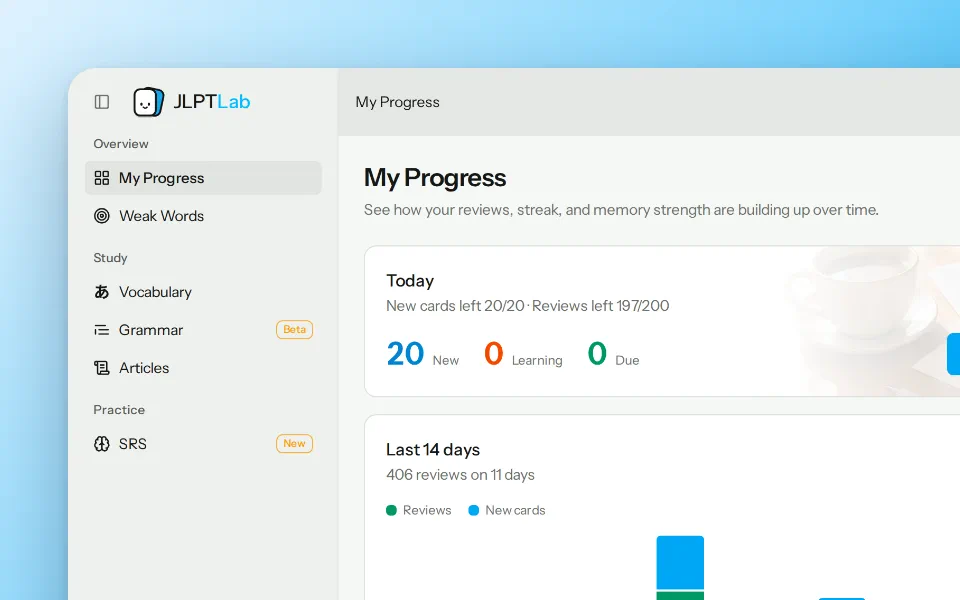
The sidebar groups pages by what you want to do:
- Overview: My Progress and Weak Words.
- Study: Kana, Vocabulary, Grammar, and Articles.
- Practice: SRS.
Collapse the sidebar when you want more room. The top bar keeps search and the light and dark switch close by.
- A clearer study screen: Review and Practice now share one card design. On a wide screen, all meanings and examples appear side by side. On a phone, they move into Meanings and Examples tabs.
- Back goes where you came from: the back link returns you to the page you were on and shows its name.
- Lists remember your place: SRS, deck, and Weak Words lists keep your tab, search, filters, and page.
- Quick feedback: use the shortcut at the bottom of the sidebar to send feedback without leaving your page.
The home page and logo are new too. Our logo is now a friendly flashcard character.
Weak Words has its own page
Open Weak Words from the sidebar to see every word that needs extra attention.
- How words join: press Again or Hard at least twice, at least 24 hours apart. Your first rating of a word doesn't count.
- How words leave: rate Good or Easy twice, with at least 24 hours before each one. Pressing Again or Hard before that starts the count over.
- Scores you can understand: each word's score is your chance of forgetting it after 30 days.
- See your progress: check your average risk, how many words you recovered in the last 7 days, and a 12-week chart of words added and recovered.
- Read what helps: get article suggestions that use your weak words, or sort the Articles list by Most weak words or Words you miss most.
Not sure how it works? Select the ? next to the page title for an illustrated guide. SRS has one too.
More SRS improvements
- Progress on every deck: the deck list and deck pages show your progress, even on public decks you haven't subscribed to. Decks you've fully learned are marked Mastered.
- Sort your way: order decks by progress, card count, or level.
- One place for public decks: the Deck Library is now the Public tab in SRS, with level filters and pages.
- Counts you can trust: New, Learning, and Due now use the same rules on My Progress, SRS, and deck pages, and they follow your daily review limit. Your day streak and 14-day chart update as soon as you rate a card.
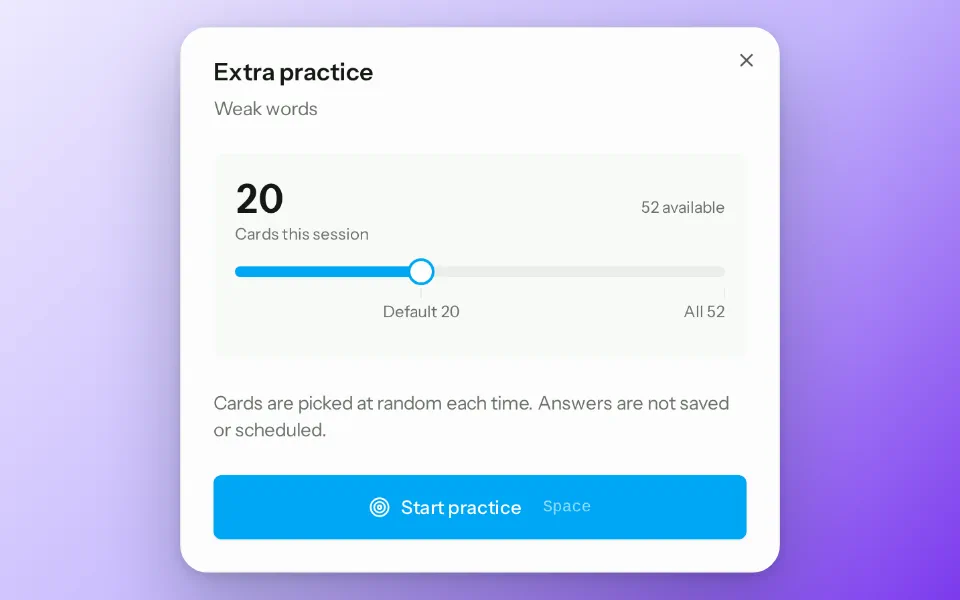
- Choose your practice size: practice up to 200 cards in one session. Practice still won't change your review schedule.
- Better scheduling for hard cards: cards you keep missing while learning now come back sooner and count as harder. Missing a long-overdue card no longer gives it a longer interval than it should have. Existing cards use the new rules the next time you rate them.
- Faster loading: Review All loads much faster when you subscribe to large decks.
Complete JLPT vocabulary decks
Open SRS, go to the Public tab, and look for Complete Vocabulary at the top.
| Level | Cards |
|---|---|
| N5 | 721 |
| N4 | 668 |
| N3 | 2,139 |
| N2 | 1,731 |
| N1 | 2,692 |
Common words come first, and each group is shuffled, so your new cards won't all start with the same sound for days on end. Words you've already learned stay on their current schedule.
Prefer shorter goals? N5 to N3 also have 64 themed decks: 19 for N5, 21 for N4, and 24 for N3. Search the Public tab by theme to find one.
The word lists are based on elzup/jlpt-word-list, which uses data from tanos.co.uk. A word's level label comes from our own dictionary, so it can occasionally differ from the deck it appears in.
Kana chart with audio and stroke order
Just starting Japanese? The new Kana page has Hiragana and Katakana charts, with no account needed. Select a character to hear it and watch its strokes draw in order. Use Replay, Previous stroke, and Next stroke to take it one stroke at a time.
Try 8 words and get a guided start
New to JLPTLab? Pick a level on the home page, or select Start practicing on the Vocabulary or Grammar list, to try 8 words without an account. Create an account in the same browser and we'll save your deck, daily pace, and ratings.
New accounts get a short guide:
- Choose a level: pick N5 to N1, or take a short word check if you're not sure.
- Choose a deck and pace: pick a vocabulary deck and 10, 20, or 30 new words a day.
- Study your first 8 words: a short guide shows how to use each rating button first.
- Get a suggestion: we may suggest an easier level, a slower pace, or a harder level based on how it went. Nothing changes unless you choose it.
If you already have an account, your decks and schedule stay as they are.